
Find your settings
Keep the engine. Turn the pops down.
- 01
Lower Pops on its own
Open Pause → Sound, then move the Pops slider. The 40% shown here is an example, not a required setting. Engine and the other sliders stay at your chosen levels.
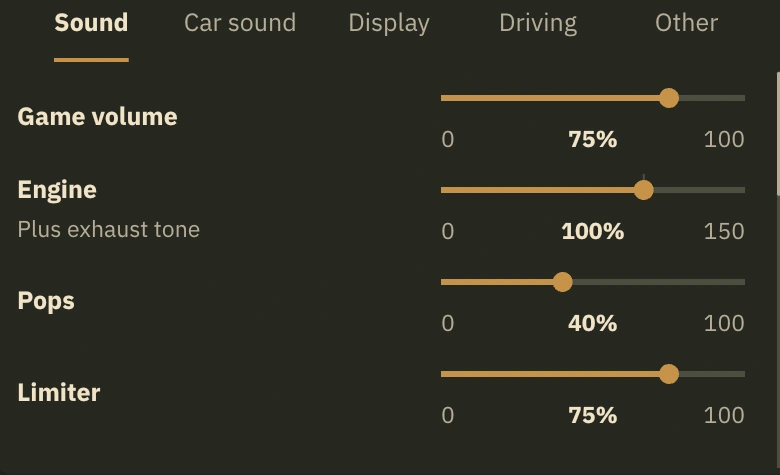
Illustrative UI design - 02
Scroll down for listening options
Outside sound and Revs sit below the sliders.
- 03
Return to the tuned mix
Use Reset to default to restore the tuned sound levels. Then adjust what you need.
- 04
Your co-driver, your way
Open Settings, then Sound. Under Co-driver, choose how much he talks as you drive: Lots, Medium, Little or Silent.
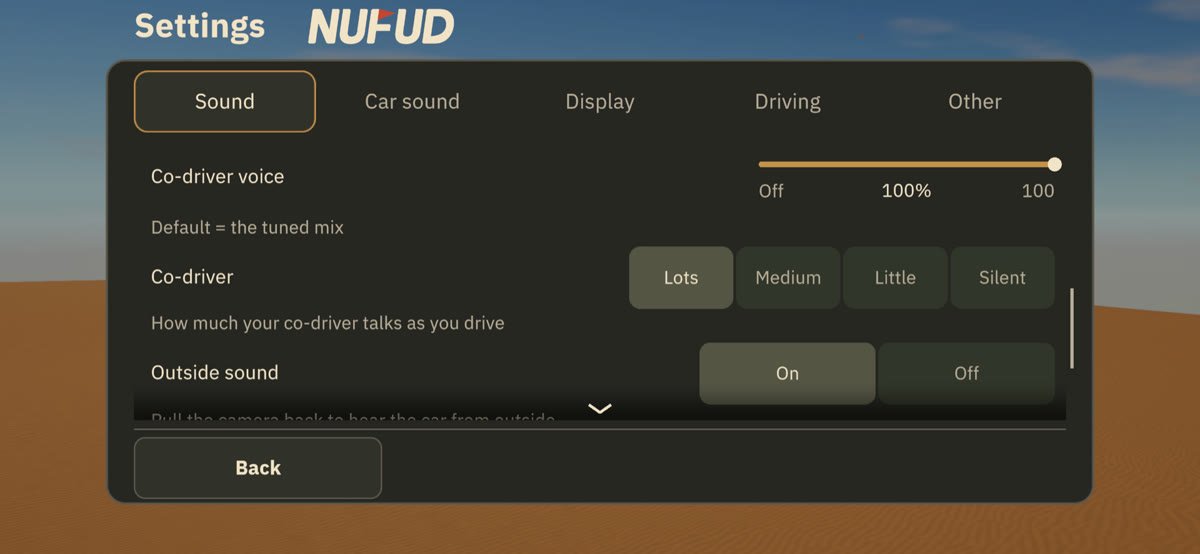
In-game capture - 05
Go easier on your phone
Open Settings, then Display, and turn on Battery saver. Play gets steadier and lighter on the phone and its battery, most of all on older iPhones.
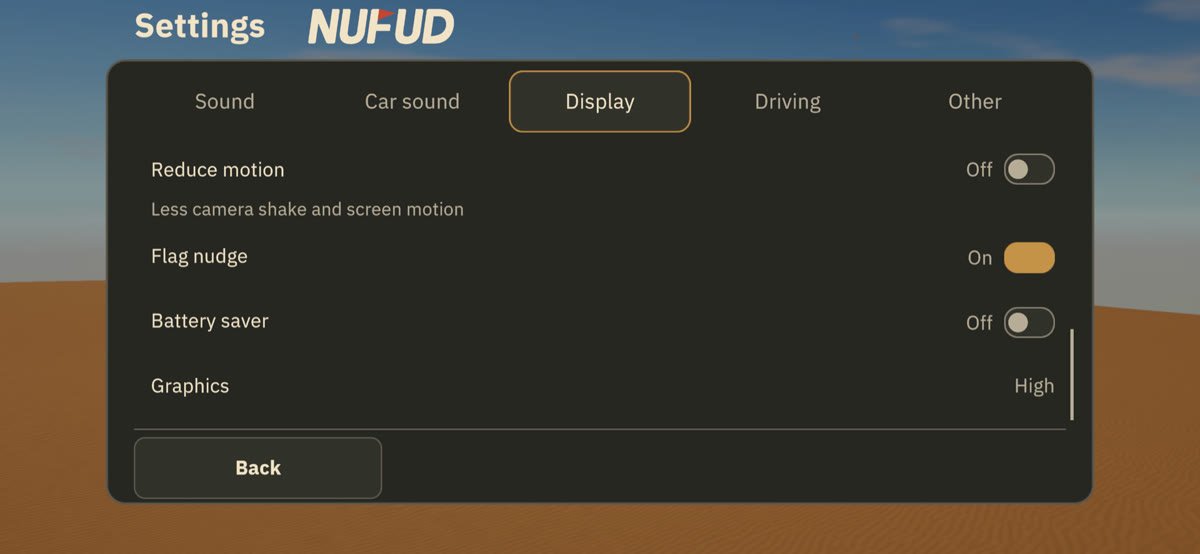
In-game capture
Slider ranges and defaults
Five controls for your truck’s sound
| Slider | Range | Default |
|---|---|---|
| Engine | 0–150% | 100% |
| Pops | 0–100% | 75% |
| Limiter | 0–100% | 75% |
| Shift | 0–100% | 100% |
| Supercharger & turbo | 0–150% | 75% |
Engine includes exhaust tone. Supercharger & turbo includes blow-off and filter. Game volume, Outdoor volume, Music and Co-driver voice have their own sliders.
Volume or a different part?
I want a different engine sound, not a quieter one
Open Car sound to change an owned part. The Sound tab adjusts volume.